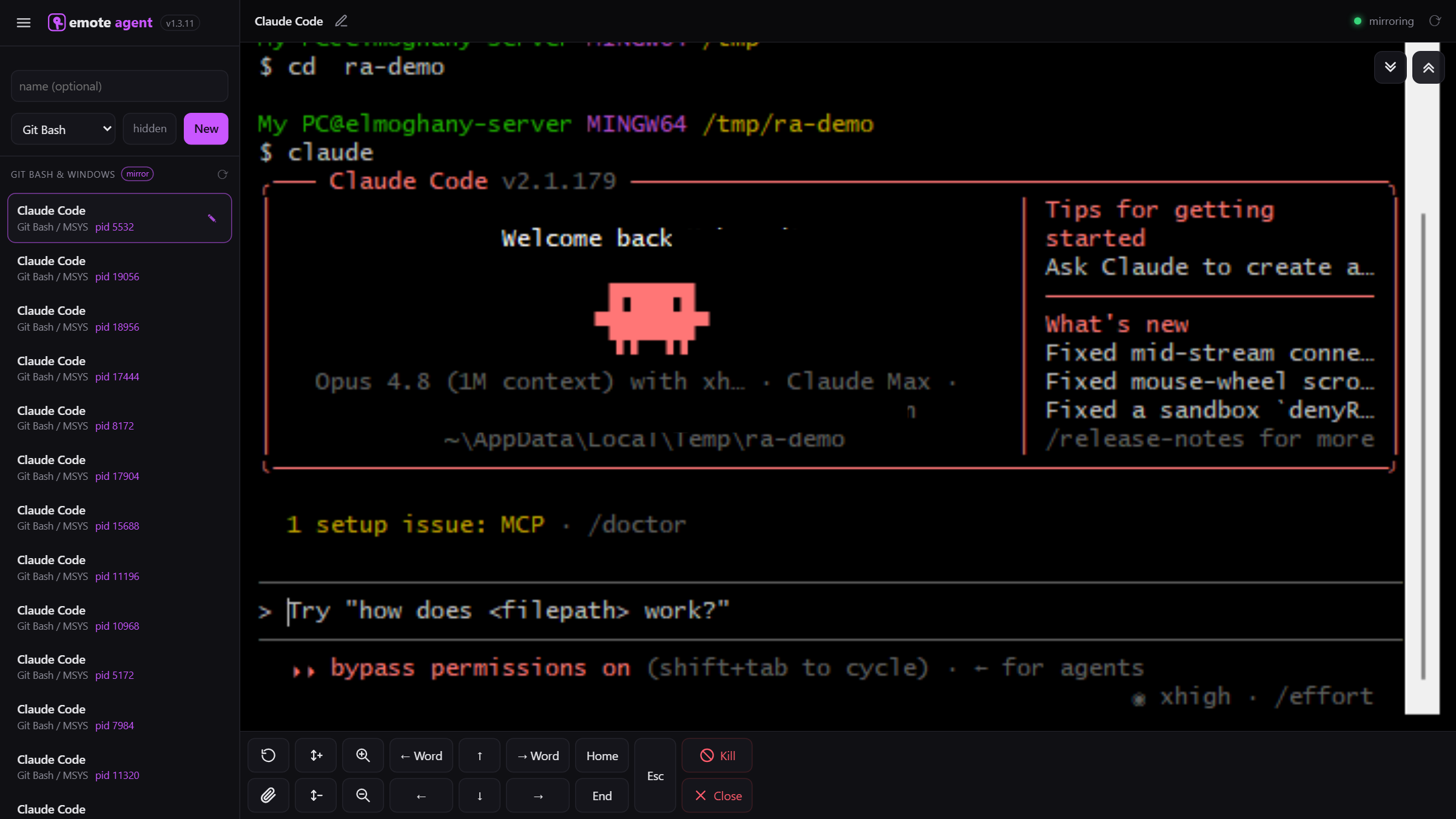
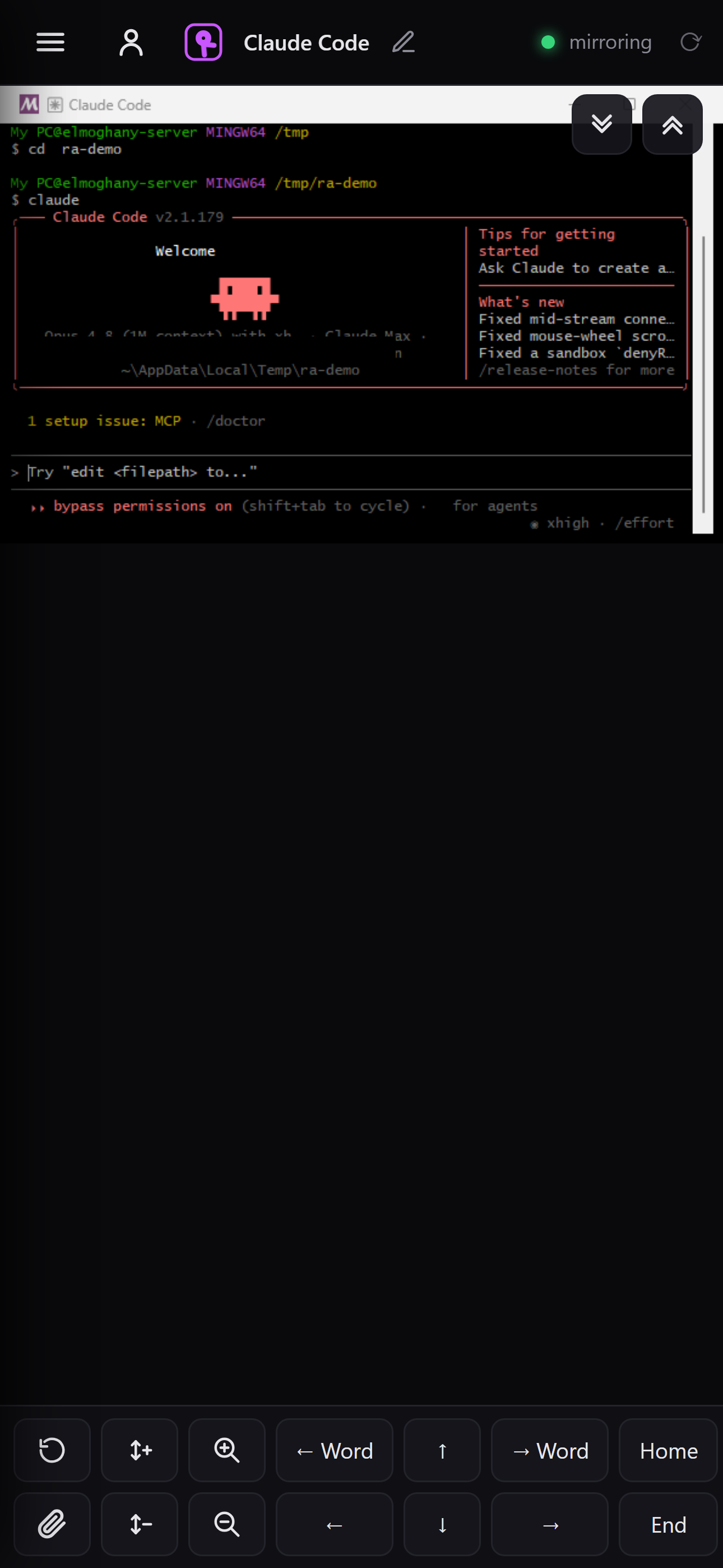
Git Bash by default; also cmd, PowerShell, WSL).Git Bash by default; also cmd, PowerShell, WSL).Reach the command line on your own PC from your phone or any browser — open Git Bash, Command Prompt and PowerShell and type into them live, from anywhere. Everything runs on your machine; nothing executes in the cloud.

Remote Coding bridges the shells on your own PC to your authenticated browser — it never runs your commands in the cloud.
Open genuine Git Bash, Command Prompt and PowerShell sessions on your PC, live in the browser.
Long-running jobs keep going while you're away. Reconnect from any device, even your phone.
Runs only on the machine where you installed it, only while you choose. Google sign-in + a private pairing token.
On-screen keys, font zoom, and upload a file from your phone straight into a shell.
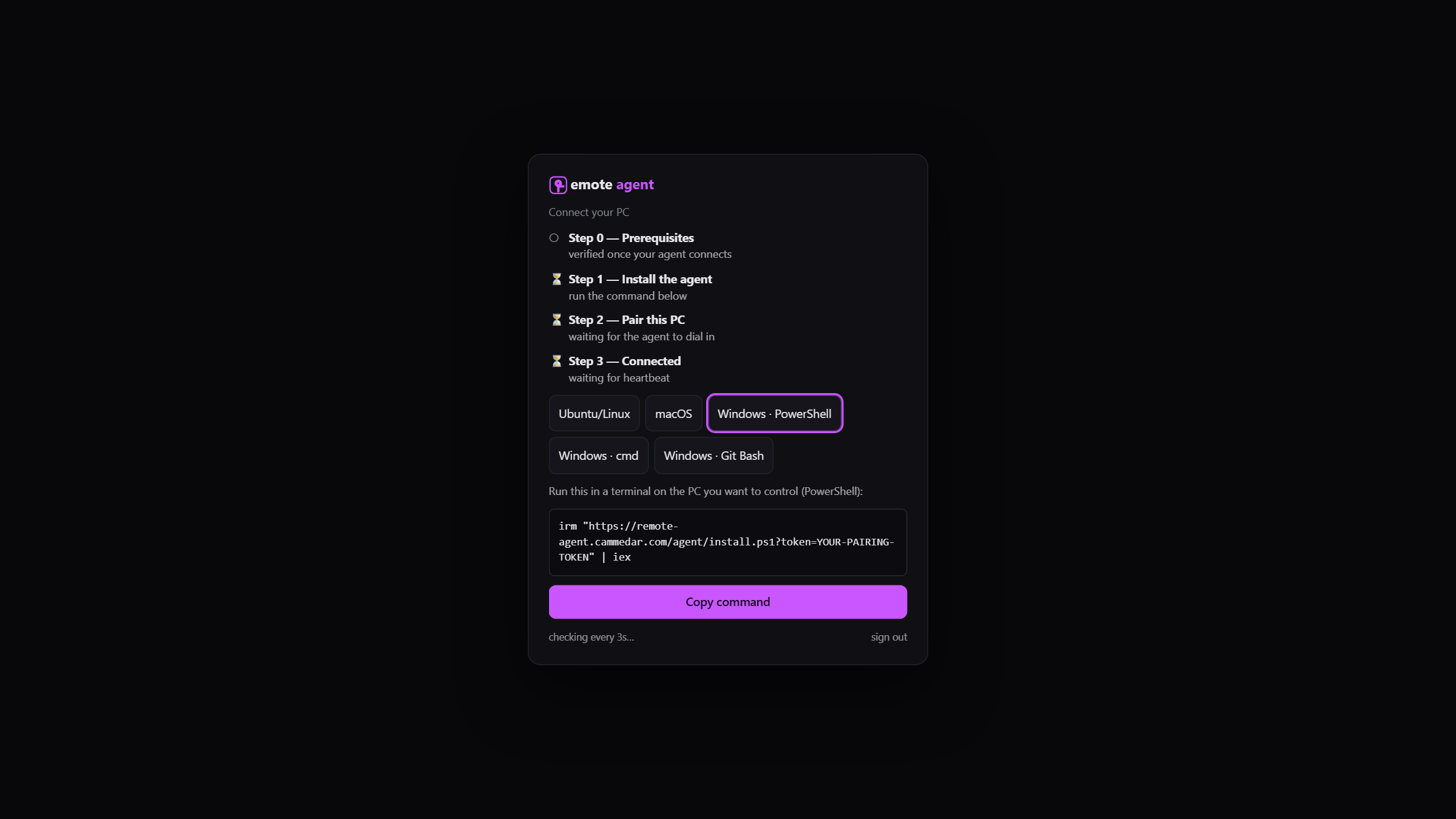
Run one command on the PC you want to reach — Windows, Linux or macOS.
Sign in with Google and paste your pairing token; your PC shows up in the web app.
Launch a shell from any browser and type into it live, from anywhere.
Run your AI coding agent on your powerful PC — then watch it, approve its steps, and keep it working from your phone, anywhere.
Claude Code, Codex, Aider, or any CLI agent runs on your own PC, where your code, tools and compute already live. Remote Coding puts that terminal on your phone so you can:

Not a sandbox and not the cloud — these are genuine shells on the machine where you installed the agent. Full TTY: colors, interactive prompts and curses UIs all work.

Your machine, your rules. Remote Coding never executes your commands in the cloud — it only bridges the shells on the PC where you ran the installer, and only while you choose to.

Install the lightweight agent on any computer you want to reach.
Not a cloud agent, not a cloud IDE, not a VPN — your own terminal and your own agents, on demand.
Cloud "background agents" run in someone else's VM on a copy of your repo. Remote Coding drives your real Claude Code or Codex on your own machine — your files, tools, GPUs and environment, exactly as they are.
Your code, GPUs, secrets and tools stay on your machine. Nothing is uploaded or rebuilt in someone else's cloud.
No inbound ports, no firewall rules, no key management. The agent dials out; you just sign in.
A real, resizable terminal with on-screen keys — not a laggy video of your desktop.
Install the agent, sign in, and your PC is in your pocket — free to start.
Get started freeYour terminal — and your AI agents — in your pocket, wherever you are.
Your agent keeps working while you're away. Reconnect and it's exactly where you left it — nothing lost.
Spin up a fresh Claude or Codex session from your phone and kick off the next task before you even reach your desk.
The second your agent needs a yes/no or asks a question, answer from your pocket so it never sits there stalled.
See exactly what Claude or Codex produced — from bed, the couch, the car, or 30,000 ft.
Fan out dozens of runs across your machine — unlimited terminals — and track every one from a single screen.
Babysit ML training, builds and deploys without being chained to your laptop — glance, nudge, walk away.
Restart a service, tail a log or push a hotfix the moment an alert fires — no VPN, no SSH.
Remote control is already wired up. When inspiration — or an incident — hits, you're one tap in.
Let your agents work while you sleep, commute, or travel — check in and nudge them from your phone, then get on with your life.
Unblock your agents the moment they need you — not hours later when you're back at the keyboard.
Commutes, queues, waiting rooms and couch time all become shipped work.
Progress keeps happening while you're out — show up with it already done.
No more "I'll fix it when I get home." Glance, nudge, and go live yours.
Your terminals are always a glance away — from bed, the lazy-boy, the car, or another country.
Long runs survive dropped connections — reconnect from any device, any time, and pick up live.
No. Everything runs on the PC where you installed the agent. Remote Coding only relays your keystrokes and the terminal's output to your authenticated browser.
Yes — they're just CLI programs in a terminal. Run them on your machine and drive them from your phone: read output, approve prompts, send follow-ups. Sessions keep running even if you close the tab.
No. The agent makes an outbound, encrypted connection — there's no inbound port to expose and nothing to configure on your router.
You sign in with Google and pair each PC with a private token only you have. No one else can attach to your machine.
Windows (Git Bash, Command Prompt, PowerShell), Linux and macOS (bash/zsh).
A free plan is included. Premium adds more concurrent terminals and a higher daily upload limit, with a 30-day free trial.
The agent runs with your permissions on your own machine, exactly as if you were typing — so the same approvals you'd give Claude Code or Codex locally still apply. You watch and approve each step from your phone.
Yes. The shell keeps running on your PC; reconnect from any device and you're right back where you left off.
Uninstall the agent or rotate its pairing token — access ends immediately.
Start free. Upgrade when you need more terminals and uploads.
It's free to start — sign in and connect your first machine in minutes.